
Staff
This content is for 5.0 (Preview). Switch to 4.5 (Current) for the current release documentation.
QUEUE’s staff management empowers you to create individual profiles for each team member, assigning them specific permissions and tracking their actions. It’s like having a super-organized staff room where everyone knows their role and can get the job done!
Key Features
Section titled “Key Features”- Unique Profiles for Each Staff Member: Keep track of individual actions and performance.
- Customizable Permission Levels: Grant access based on roles and responsibilities, ensuring security and control.
- Action Tracking for Accountability: Monitor staff activities for insights and optimization.
Roles and Permissions
Section titled “Roles and Permissions”- Manager Role: All-access pass to everything in the app, including creating and managing other staff profiles.
- Regular Role: Limited access based on assigned permissions.
- Permission Groups (Optional): Create custom permission groups for more granular control over access rights.
Creating Staff Profiles
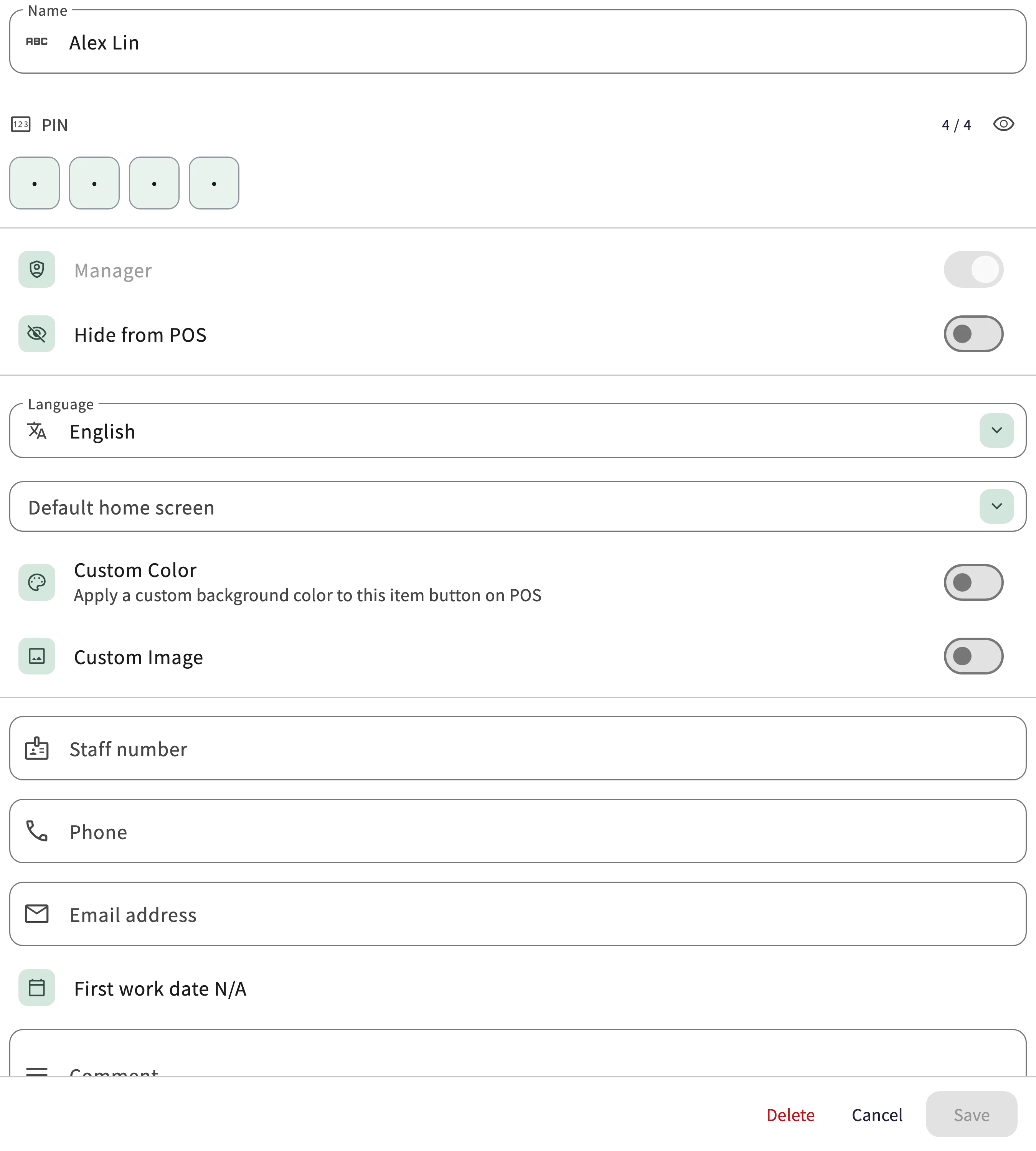
Section titled “Creating Staff Profiles”- Tap “New Staff” to start. ➕
- Fill in the details:
- Name: As it will appear on the login screen and reports.
- PIN: A 4-digit code for secure login.
- Manager: Check for full permissions.
- Permission Group: Assign a custom group if applicable.
- Personalize the Experience (Optional):
- Language: Set the staff member’s preferred language for the interface.
- Custom Color: Choose a unique color for their login screen icon.
- Default Home Screen: Select the screen they’ll see after logging in.
- Custom Image Upload a picture to make the staff easier to recognize.
- Staff Information (Optional):
- Staff Number: Assign an internal employee ID or number.
- Phone: Record the staff member’s contact phone number.
- Email Address: Record the staff member’s email address.
- First Work Date: Record the date the staff member started working.
- Comment: Add internal notes or remarks for the staff member.
Benefits of Staff Management
Section titled “Benefits of Staff Management”- Enhanced Security: Prevent unauthorized access to sensitive information and features. ️
- Improved Workflow: Ensure staff members have the tools they need to perform their tasks efficiently.
- Better Oversight: Track staff actions and identify areas for improvement or training.
- Adaptability: Adjust permissions as your business needs evolve or staff roles change.